

Tested with Circuitera 1.0.0: the article’s complete C++ sketch compiled for Arduino Uno R3 using avr-gcc-wasm@0.2.0 on 2026-10-26 (UTC). The sketch also passed its recorded Uno model checks. No physical board was tested.
Waiting and checking are different operations
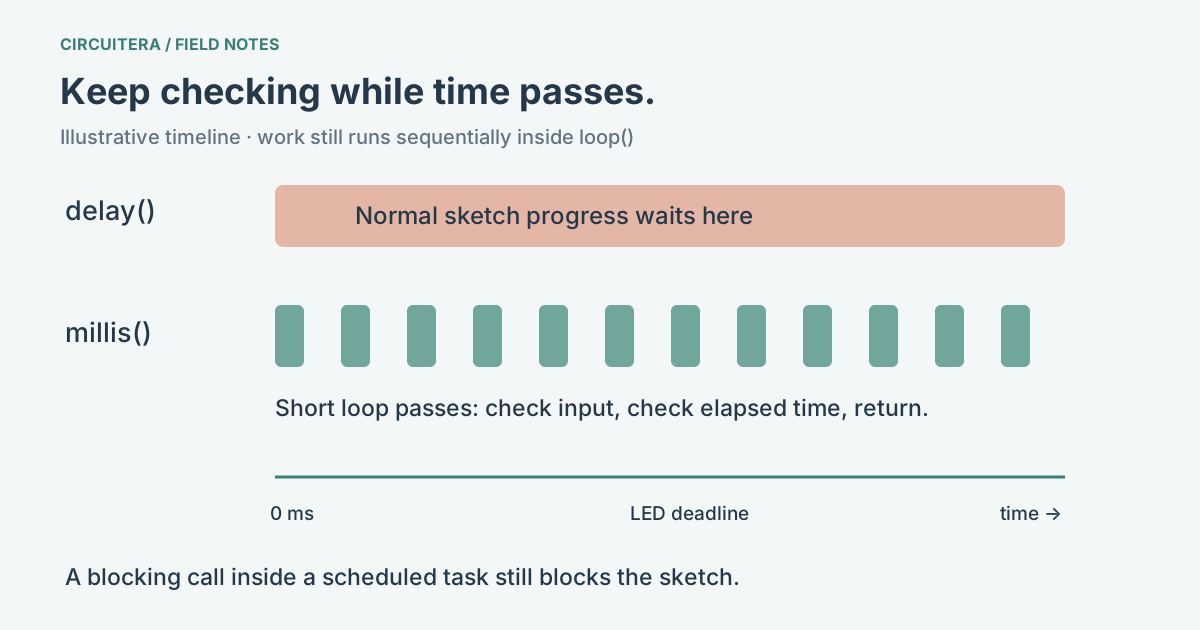
A delay(500) call pauses the normal progress of your sketch for about half a second. Interrupt-driven activity can still happen, but the next line of loop() is not running during that wait. If the next line checks a button, a short press can be missed. This is often the first reason to change a Blink-style program.
millis() reads the elapsed millisecond counter. It does not schedule a task or make a program multitask by itself. You record when something last happened, compare the elapsed time, do a small amount of work when it is due, then let loop() continue. Other code still has to return promptly for this approach to remain responsive.
Toggle an LED while checking a button
Here D2 has a button to GND, using its internal pull-up. The onboard LED changes state every 500 ms. A press forces it LOW; releasing the button allows the timed behavior to continue. The timing and the input check both live in the same loop.
unsigned long previous = 0;
bool ledOn = false;

void setup() {
  pinMode(LED_BUILTIN, OUTPUT);
  pinMode(2, INPUT_PULLUP);
}

void loop() {
  const unsigned long now = millis();
  if (now - previous >= 500UL) {
    previous = now;
    ledOn = !ledOn;
  }
  const bool pressed = digitalRead(2) == LOW;
  digitalWrite(LED_BUILTIN, ledOn && !pressed ? HIGH : LOW);
}
The subtraction asks how much time has passed. The button is checked on every pass rather than after a half-second wait. This is a level-controlled example, not a debounced press counter. The INPUT_PULLUP article explains why pressed corresponds to LOW.
Why unsigned subtraction survives rollover
On classic AVR boards, unsigned long is 32 bits. The millisecond counter wraps after about 49.7 days. Unsigned subtraction uses modulo arithmetic, so now - previous can still represent elapsed time across that wrap. A deadline comparison such as now >= previous + interval is easier to get wrong when the addition wraps.
Keep both timestamps and the interval unsigned, and use intervals comfortably shorter than a full counter cycle. The loop must also check often enough that an entire cycle does not pass unnoticed. This pattern does not reconstruct events after the device has been unobserved for multiple wraps. See the millis reference for the counter type and timing caveats.
Choose a policy for a late task
Setting previous = now schedules the next action relative to when this one actually ran. Adding the interval to previous instead keeps a periodic schedule anchored to its prior deadline. If your loop was delayed, that second form can run again quickly to catch up. Neither policy is always right: decide whether the application should skip missed samples, catch up or report an overrun.
Do not hide a long pulseIn(), a large blocking serial write or a delay() inside the supposedly responsive task. Replacing one delay with millis does not remove blocking elsewhere. For multiple tasks, give each one its own timestamp and keep each handler short; there is still one normal sketch execution path.
Milliseconds are not a precision pulse instrument
millis() is appropriate for things such as a status LED, a periodic message or a user-interface timeout. It is not the right clock for a 10 microsecond sensor trigger. Timer configuration and interrupts also matter on real hardware. Arduino’s Blink Without Delay example shows the scheduling pattern, while pulseIn() addresses a different kind of measurement.
Try changing the existing Blink project into a timed state machine in the IDE. The article sketch is compile-checked and can be exercised in the Uno model; that is not a 50-day physical endurance test or a hardware latency guarantee.
Sources and verification
Technical references were reviewed for this article. Board behavior is scoped to the named core and profile; follow a component’s actual datasheet when wiring hardware.