

Tested with Circuitera 1.0.0: the article’s complete C++ sketch compiled for Arduino Uno R3 using avr-gcc-wasm@0.2.0 on 2026-10-31 (UTC). No modeled execution is claimed for this article. No physical board was tested.
A project needs another sensor, a wireless connection or a larger buffer, and a board comparison suddenly matters. Picking the device with the largest clock-speed number is tempting. It is also an incomplete way to choose a controller, because electrical compatibility, pin assignments, software support and the actual workload determine whether the replacement will behave as intended.
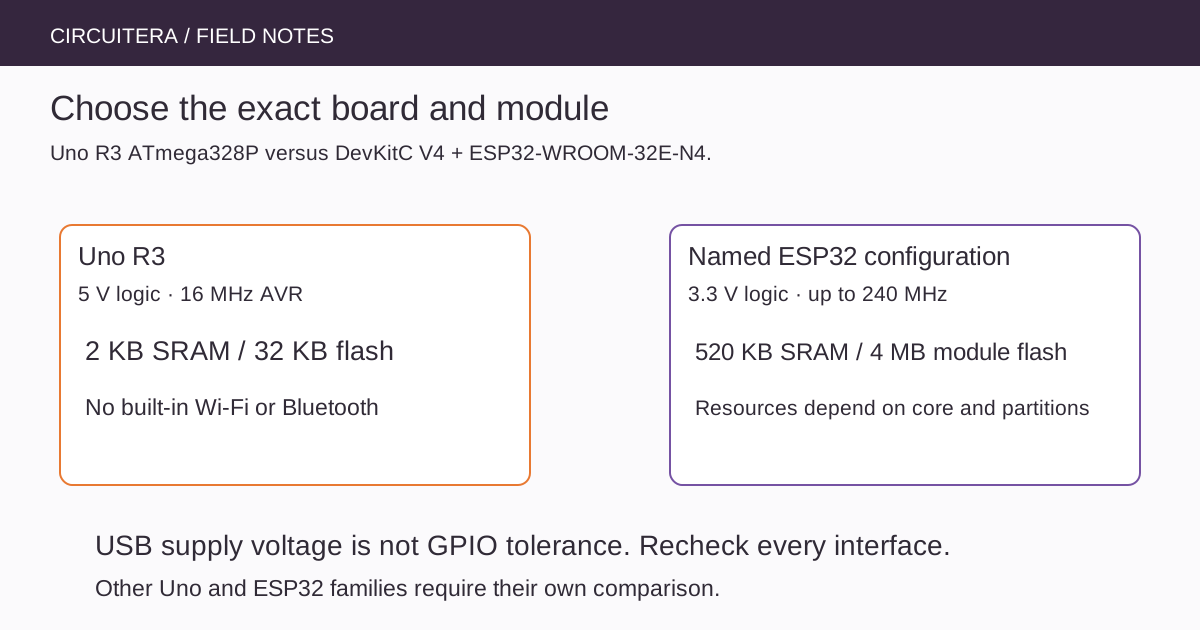
“Uno” and “ESP32” are families of products, not single immutable specifications. This comparison uses the classic Arduino Uno R3 with ATmega328P and an Espressif ESP32-DevKitC V4 fitted with an ESP32-WROOM-32E-N4 module. An Uno R4, an ESP32-C3 and an ESP32-S3 need their own comparison rather than being silently folded into this table.
Separate the MCU, module and development board
The microcontroller provides the processor and peripherals. A module can add flash, an antenna and radio-support circuitry. The development board adds connectors, power circuitry and a programming interface. Features advertised at one level do not necessarily appear as freely usable header pins at another.
The N4 module variant specifies 4 MB of flash. Other WROOM-32E variants exist, and ESP32 development boards can carry different modules. Read the module marking and the board documentation. A shop listing that says only ESP32 does not settle available flash, external RAM, antenna arrangement or a safe pin map.
| Property | Classic Uno R3 | Named ESP32-DevKitC V4 configuration |
|---|---|---|
| Processor family | 8-bit AVR ATmega328P | Dual-core 32-bit Xtensa LX6 ESP32 |
| Clock | 16 MHz board clock | Up to 240 MHz; configuration matters |
| Internal working memory | 2 KB SRAM | 520 KB SRAM on the ESP32; not all is application heap |
| Program storage | 32 KB flash, including bootloader space | 4 MB external flash for the N4 module; partitions reserve space |
| GPIO logic domain | 5 V logic | 3.3 V logic; not a 5 V-tolerant replacement |
| Wireless on this configuration | No built-in Wi-Fi or Bluetooth | 2.4 GHz Wi-Fi and Bluetooth capabilities |
These figures describe the named devices, not measured application performance. The table's SRAM and flash columns are separate resources. A much larger flash chip does not turn every byte into working RAM, and radio/framework allocations reduce the memory available to your own code.
Check voltage before checking syntax
The Uno R3 examples on this site generally use its 5 V logic environment. The ESP32 uses a 3.3 V I/O domain. A development board accepting USB power does not make its GPIO inputs safe for a 5 V sensor output. Check both directions of every interface, including logic thresholds, pull-up voltage and any level translator.
For example, a 5 V ultrasonic module's Echo signal needs a suitable interface before reaching a 3.3 V input. Likewise, an I²C breakout may contain pull-ups to its own supply. Merely moving SDA and SCL to different labels can leave the electrical problem unchanged. The I²C troubleshooting article explains how to inspect that bus.
A pin count is not a free-pin count
The Uno R3 exposes fourteen numbered digital pins and six analog inputs, with overlapping capabilities. On the named ESP32 board, some pins serve flash connections, boot configuration or other special roles; some are input-only. The DevKitC pin table identifies the header functions and reserved connections.
Choose pins for the exact board and attached peripherals. An LED_BUILTIN definition may refer to a different circuit or may not represent a comparable onboard LED. A pin suitable for an ordinary output might be a poor choice for a signal that is forced during boot. Avoid universal advice based only on a GPIO number copied from another board's sketch.
Portable APIs do not guarantee portable behavior
Both environments can support Arduino-style setup() and loop(), but they use different cores, toolchains, libraries and peripheral implementations. Timer registers, AVR interrupt names and PROGMEM assumptions are not generic C++ features. Serial behavior and ADC capabilities also depend on the board/core combination.
This small example is intentionally scoped to the Uno R3 compilation check. It reports some type sizes and the running uptime without assuming another board's pins. It is an observation tool, not a processor benchmark or proof that the same binary runs on an ESP32.
unsigned long lastReport = 0;

void setup() {
  Serial.begin(9600);
  Serial.print(F("sizeof(int)="));
  Serial.println(sizeof(int));
  Serial.print(F("sizeof(long)="));
  Serial.println(sizeof(long));
}

void loop() {
  const unsigned long now = millis();
  if (now - lastReport >= 1000UL) {
    lastReport = now;
    Serial.println(now);
  }
}
The selected core controls type representations and startup behavior. If adapting the source elsewhere, compile it with the correct core and inspect its output independently. Do not infer a timing speedup from these print statements; UART output and scheduling are not controlled benchmark workloads.
Choose the platform around the project
A classic Uno can be a clear fit for a small, familiar 5 V educational circuit with modest memory requirements and well-understood AVR libraries. An ESP32 can be a better fit when supported wireless networking, larger working memory or its particular peripherals are central requirements. Neither description excuses checking supply design, software maintenance or the exact board variant.
Use Circuitera's supported board references to understand what its current AVR workflow actually compiles. This article does not add ESP32 compilation, upload or simulation support to Circuitera. Moving a project to a new platform is a separate engineering step: document voltage changes, assign pins deliberately, select the correct core and retest each peripheral before treating the larger system as migrated.
Sources and verification
Technical references were reviewed for this article. Board behavior is scoped to the named core and profile; follow a component’s actual datasheet when wiring hardware.