

What you see
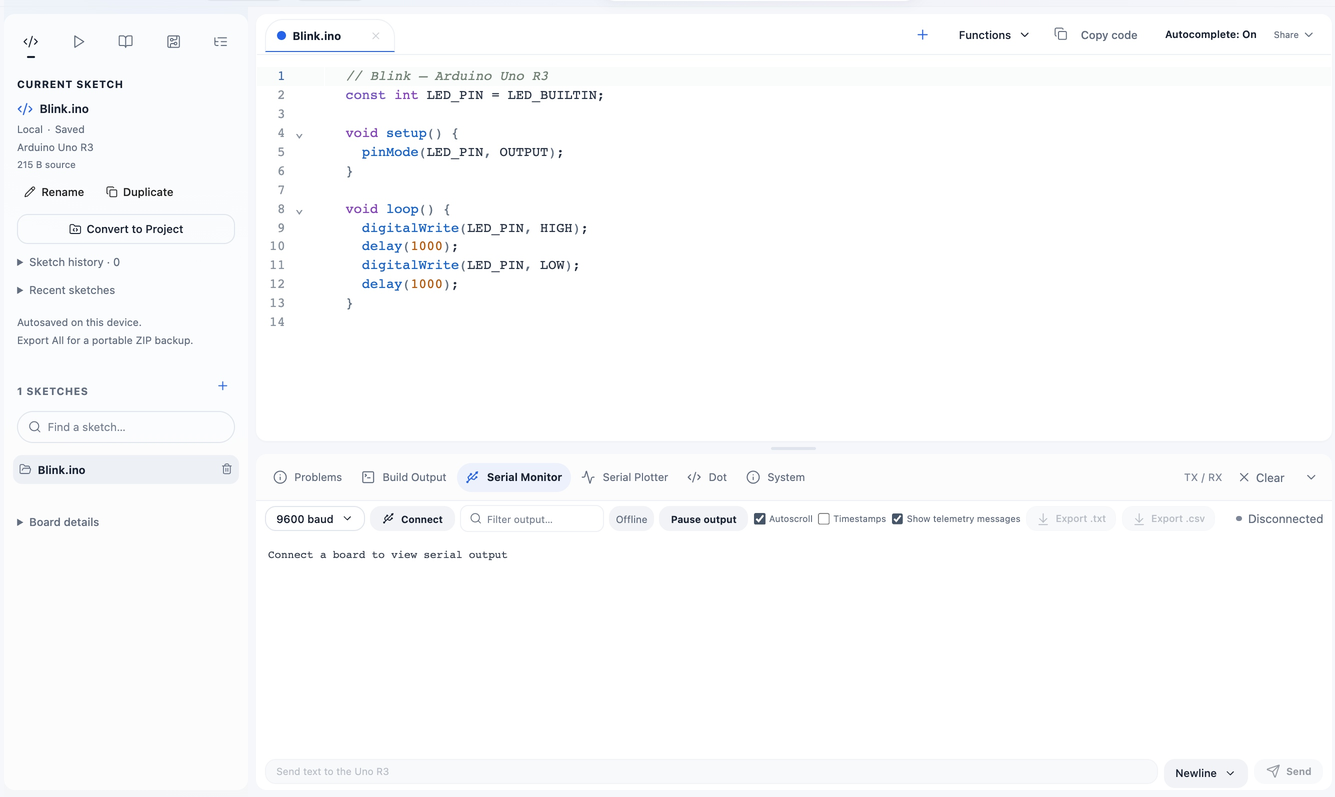
The panel can show “Waiting for serial output…” after opening the port, or “Connect a board to view serial output” before a connection.
Likely causes
- The sketch never prints, or the expected sketch was not uploaded.
- The monitor uses the wrong port or baud, or another application owns the device.
- The board reset when the port opened and setup()/initial output has not completed.
Diagnostic steps
Use a repeating known message
Open Serial Hello World, Verify and Upload for the actual board. A repeating counter is easier to observe than a one-time setup() message.
Confirm connection and baud
Select the correct port and match Serial Monitor to Serial.begin(9600) in that example. Compilation alone does not open a hardware serial connection.
Allow reset and check the view
Wait for the sketch to restart. Resume the paused output view and clear search filters if they hide the message. A paused view can still receive data in the background.
Check board-specific Serial
Mega Serial1/2/3 are external TTL UARTs, not independent browser USB ports. Leonardo/Micro distinguish native USB Serial from Serial1 on pins 0/1.
Board-specific notes
Uno/Nano use their USB-to-serial bridge. Mega’s extra UARTs are not separate browser ports. Leonardo/Micro native USB may re-enumerate during reset. Pro Mini requires an external adapter with the correct logic voltage.
Safe recovery
Close competing monitors and reopen the correct connection after the current operation finishes. Use the simulator’s serial example to check program behavior separately from USB hardware.
Evidence and references
Reviewed 2026-10-23 against Circuitera’s actual behavior. An editorial review is separate from a physical board test.
Circuitera implementation evidence
src/App.jsx: startMonitor and serial-output