
Classic Arduino Nano
Use the classic ATmega328P Arduino Nano on a breadboard and identify its analog-only inputs, Mini-B USB connector and bootloader settings.
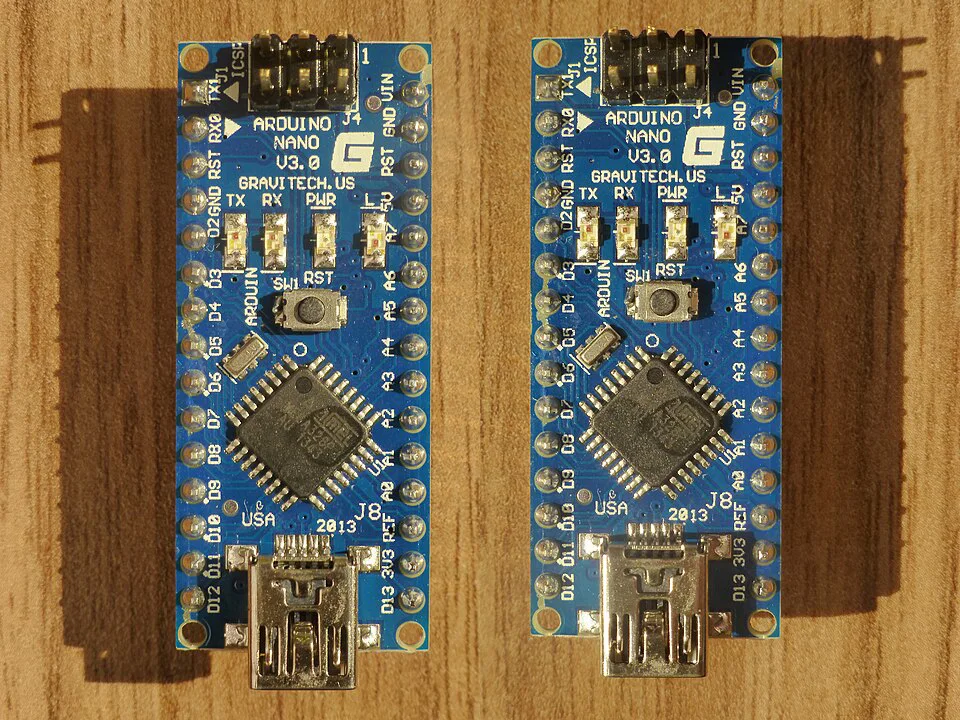

Overview
The classic Nano packages the AVR Arduino workflow in a narrow board with pins on two sides. The board fits across a breadboard’s center gap, leaving adjacent holes for short signal wires.
Pinout and wiring
A6 and A7 are analog-only on the classic Nano. Connect I²C to A4 and A5 and use D0 and D1 for the hardware UART. The Nano’s Mini-B USB port is physically different from the Uno R3’s Type-B port.
Board selection
Check the board family before applying a wiring diagram. Nano Every and Nano 33 boards are different products. If verification succeeds but uploading fails, check the selected processor and the bootloader variant of the actual classic Nano.
Specifications
| Parameter | Value or condition | Source |
|---|---|---|
| Microcontroller | ATmega328P on the current classic Nano | Arduino |
| Clock and logic | 16 MHz; 5 V operating voltage | Arduino |
| Analog inputs | Eight; A6 and A7 are analog-only | Arduino |
Compatibility and practice
5 V AVR board; verify the processor and bootloader settings before upload.
Related components
Sources and datasheets
- Classic Arduino Nano hardware and pinout · Arduino