
Arduino Leonardo
Use the Leonardo’s ATmega32U4 and native USB, and distinguish `Serial` on USB from `Serial1` on header pins.
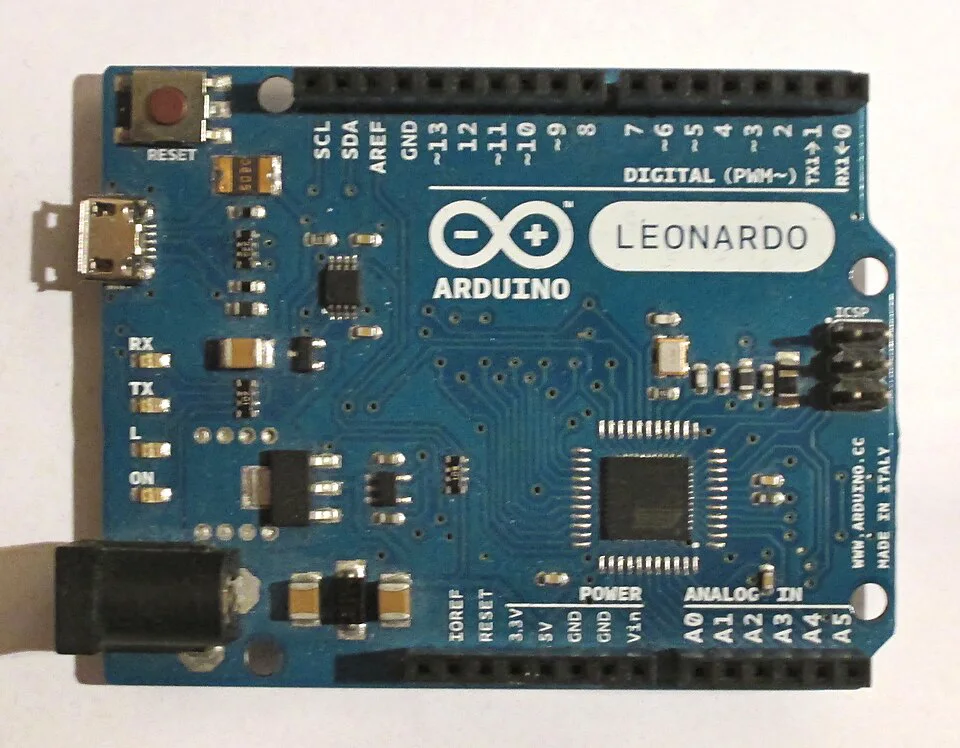

Overview
The ATmega32U4 handles both the sketch and USB on the Leonardo. It does not need the Uno R3’s separate USB-to-serial interface.
Serial and peripheral headers
In Arduino sketches, Serial is the USB connection and Serial1 is the hardware serial port. For SPI use the ICSP header; Uno wiring that expects SPI on D11–D13 may not transfer.
Native USB after reset
The USB device can disappear and re-enumerate when the microcontroller resets. This can matter for uploads and serial monitors. Avoid waiting forever for a serial host when the finished sketch must also run with no PC attached.
Specifications
| Parameter | Value or condition | Source |
|---|---|---|
| Microcontroller | ATmega32U4 | Arduino |
| Operating logic and clock | 5 V and 16 MHz | Arduino |
| Digital I/O | 20 pins | Arduino |
Compatibility and practice
Use the Leonardo board target. Do not assume Uno SPI and I²C pin placement.
Related components
Sources and datasheets
- Leonardo hardware reference and pinout · Arduino