
Arduino Micro
Place the Arduino Micro on a breadboard, find its native USB and hardware serial ports, and check the pinout when porting a Nano sketch.

Overview
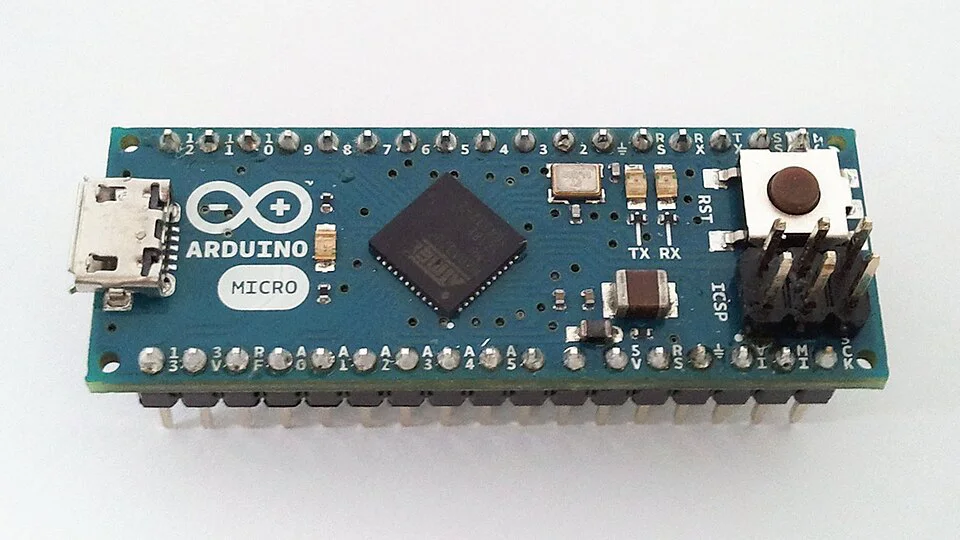
The Micro combines the ATmega32U4 and its USB support on a narrow board. The photos show the device and breadboard-style headers. The board resembles other small Arduinos but has a different microcontroller and pin map from the classic Nano.
USB and hardware serial
Serial communicates with a connected USB host. Serial1 reaches the hardware UART pins. Use the physical Micro pinout to locate I²C and SPI rather than reusing a Nano cable or wiring table.
Startup behavior
During reset, the USB interface may reappear as a different connection. Firmware intended to run without a computer should avoid an unbounded wait for the USB serial port to open.
Specifications
| Parameter | Value or condition | Source |
|---|---|---|
| Microcontroller | ATmega32U4 | Arduino |
| Logic voltage | 5 V operating voltage | Arduino |
| Clock | 16 MHz | Arduino |
Compatibility and practice
Use the Arduino Micro target and the Micro pin map; tiny size does not mean Nano-compatible pins.
Related components
Sources and datasheets
- Micro hardware reference and pinout · Arduino